
Smart Strategies for Managing Tech Gadgets Efficiently
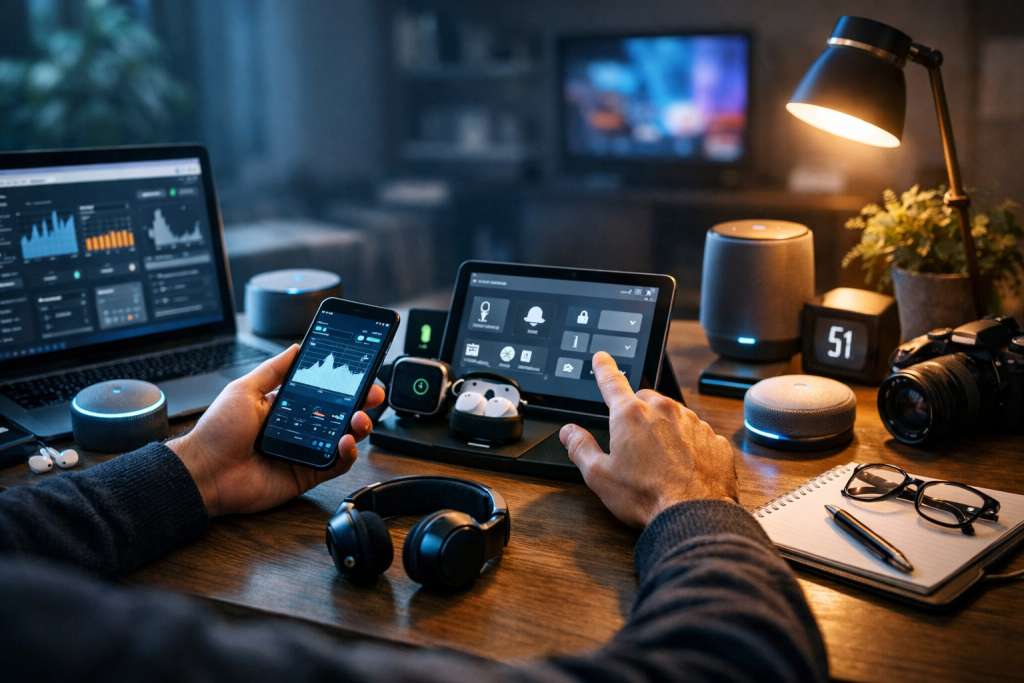
Modern life depends on multiple devices—smartphones, laptops, tablets, smartwatches, wireless earbuds, and smart home systems. Without structure, these tools quickly become sources of distraction, clutter, and inefficiency. Effective strategies for managing tech gadgets help reduce digital overload, extend device lifespan, improve productivity, and protect sensitive data. Managing technology efficiently is no longer optional; it is a foundational skill for maintaining focus and operational control in both personal and professional environments.
Establishing a Clear Device Ecosystem
The first step in implementing strong strategies for managing tech gadgets is defining the role of each device. Every gadget should have a primary function. For example, a laptop may handle deep work, while a smartphone is reserved for communication and essential applications. Overlapping functions increase redundancy and digital noise.
Create a structured device hierarchy. Identify which device acts as the central hub for storage, which serves mobility needs, and which supports entertainment. This prevents unnecessary duplication of apps, files, and settings across devices.
Synchronization should be intentional, not automatic. Use cloud services selectively to maintain consistency across devices while avoiding clutter. Disable unnecessary cross-device notifications that fragment attention and interrupt workflows.
Finally, reduce the total number of active gadgets. Retire unused devices and consolidate where possible. Fewer devices mean fewer updates, fewer cables, and fewer security risks.
Organizing Digital Assets Systematically
Digital clutter slows performance and wastes time. One of the most practical strategies for managing tech gadgets involves structured file management. Establish standardized folder systems and naming conventions across all devices.
Use consistent file naming rules such as date-project-description formats. This eliminates confusion when accessing documents across platforms. Avoid generic names like “Final_v2” that create version chaos.
Schedule monthly digital cleanups. Delete duplicate files, remove unused apps, and clear unnecessary downloads. Many devices accumulate hidden storage waste from cached data and forgotten files.
Cloud storage should complement—not replace—local organization. Maintain logical structures in both environments. When digital assets are organized, device performance improves and retrieval time decreases significantly.
Optimizing Performance and Maintenance
Efficient gadget management requires regular technical maintenance. Devices degrade when updates are ignored and storage becomes overloaded. One of the core strategies for managing tech gadgets is implementing a maintenance schedule.
Enable automatic security updates but review major system updates before installation. This reduces compatibility risks. Keep firmware current for routers, smart home devices, and peripherals.
Monitor battery health on smartphones and laptops. Avoid constant deep discharge cycles and excessive heat exposure. Replacing batteries proactively extends the useful life of expensive devices.
Physically maintain hardware. Clean keyboards, screens, and ports regularly to prevent dust accumulation. Organize cables using labeling systems to eliminate confusion and reduce wear from frequent unplugging.
Consider periodic device audits. Assess which devices are still performing efficiently and which require upgrades. Strategic replacement is more cost-effective than emergency replacement due to sudden failure.
Strengthening Digital Security and Privacy
Security is central to any serious approach to strategies for managing tech gadgets. Each device represents a potential entry point for data breaches. Without structured protection, personal and professional data remain vulnerable.
Use a password manager to create and store strong, unique passwords. Avoid reusing credentials across devices and platforms. Enable multi-factor authentication (MFA) wherever possible.
Install reputable antivirus or endpoint protection tools, especially on laptops and desktops. For mobile devices, review app permissions and remove applications that request unnecessary access to data.
Segment networks when possible. Smart home devices should operate on a separate Wi-Fi network from work devices. This limits exposure if one system becomes compromised.
Regularly back up important data. Use a combination of encrypted cloud backups and external storage solutions. Backup discipline ensures recovery without disruption during hardware failure or cyber incidents.
Managing Notifications and Digital Distractions
Devices are productivity tools only when distractions are controlled. An overlooked component of strategies for managing tech gadgets is notification governance. Constant alerts erode focus and increase stress levels.

Disable non-essential notifications. Social media, promotional emails, and news alerts should not interrupt concentrated work sessions. Use scheduled notification summaries instead of real-time interruptions.
Activate focus modes or productivity settings during work blocks. Most modern operating systems allow custom filtering of calls and messages. Configure these features deliberately rather than relying on default settings.
Limit the number of installed apps. Each application introduces potential distractions and background activity. Minimalist app ecosystems improve both performance and mental clarity.
Establish device-free zones or time periods. Charging devices outside the bedroom or disabling late-night alerts improves sleep quality and reduces cognitive fatigue.
Planning for Lifecycle and Upgrade Management
Technology evolves rapidly, but constant upgrades are not efficient. Sustainable strategies for managing tech gadgets include structured lifecycle planning. Devices should be replaced based on performance metrics, not marketing cycles.
Track purchase dates and warranty periods. Maintain digital records for all devices to simplify service claims and insurance documentation. This reduces friction when repairs are needed.
Evaluate upgrade decisions using objective criteria. Consider processing speed, storage capacity, compatibility requirements, and security support timelines. Avoid upgrading solely for incremental design changes.
Resell, recycle, or donate old devices responsibly. Before disposal, perform secure data wipes to prevent data leakage. Responsible lifecycle management protects both financial investment and environmental impact.
Budgeting for technology should be strategic. Allocate annual funds for maintenance, accessories, and eventual upgrades. Planned spending eliminates reactive, high-cost replacements.
Building Personal Technology Protocols
Consistency transforms isolated actions into reliable systems. Effective strategies for managing tech gadgets rely on written protocols. Define standard operating procedures for file storage, password updates, backups, and device cleaning.
Document recovery steps for lost or stolen devices. Include remote wipe instructions and account recovery processes. Preparation minimizes downtime during incidents.
Create boundaries between personal and professional usage. If possible, use separate devices or user profiles. This prevents data overlap and reduces compliance risks in professional settings.
Review technology usage quarterly. Measure time spent on devices, storage consumption, and software efficiency. Regular evaluation ensures that devices continue to serve defined goals rather than control daily routines.
Conclusion
Managing modern technology requires deliberate systems, not reactive adjustments. Clear device roles, structured digital organization, disciplined maintenance, strong security practices, and controlled notifications form the foundation of effective strategies for managing tech gadgets. When devices are managed with intention, they enhance productivity, reduce risk, and extend operational lifespan without unnecessary complexity.
FAQ
Q: What are the most important strategies for managing tech gadgets at home? A: Define clear device roles, maintain regular updates, organize digital files systematically, and secure all devices with strong passwords and backups.
Q: How often should tech gadgets be maintained? A: Basic maintenance such as updates and storage cleanup should be monthly, while performance audits and hardware inspections can be conducted quarterly.
Q: Is it better to upgrade devices frequently? A: Devices should be upgraded based on performance limitations, security support expiration, or compatibility requirements rather than annual release cycles.
Q: How can I reduce digital clutter across multiple devices? A: Standardize folder structures, delete unused apps regularly, remove duplicate files, and control cloud synchronization settings.
Q: Why is notification control part of gadget management? A: Excessive notifications reduce focus, increase stress, and drain battery life, making structured notification management essential for efficient device use.
