
On-Premise vs. Cloud: Pros, Cons, & The Right Choice
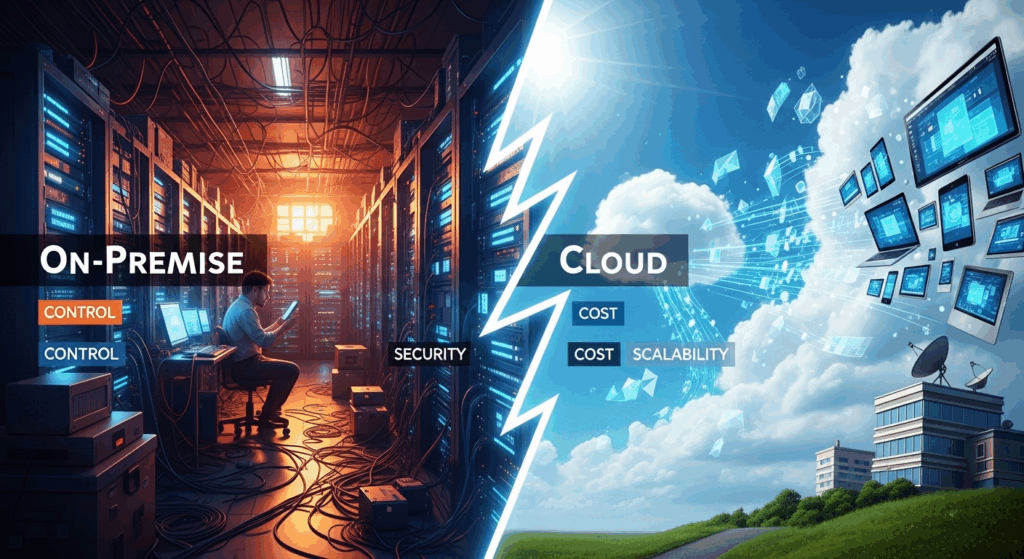
In the digital-first era, one of the most fundamental decisions a business must make revolves around its IT infrastructure: where will its software and data live? This choice typically boils down to a head-to-head comparison between two dominant models. Understanding the on-premise vs cloud software pros and cons is no longer just a technical debate for the IT department; it’s a strategic business decision with far-reaching implications for cost, security, scalability, and overall agility. Whether you’re a startup aiming for rapid growth or an established enterprise with complex compliance needs, choosing the right deployment model can define your operational efficiency and competitive edge for years to come. This guide will dissect the nuances of both approaches, helping you navigate the complexities and make the choice that aligns perfectly with your organization’s goals.
On-Premise vs. Cloud: Pros, Cons, & The Right Choice
Understanding the Core Concepts: On-Premise and Cloud Defined
Before dissecting the pros and cons, it’s crucial to establish a clear understanding of what “on-premise” and “cloud” actually mean. These terms describe the physical location and management style of the computing resources—servers, storage, networking—that run your business applications. The distinction between them is the foundation of every other comparison point, from cost structure to security protocols. It’s a choice between direct ownership and a service-based rental model, each with a distinct philosophy.
On-premise, often shortened to “on-prem,” is the traditional model of IT infrastructure. In this setup, a company purchases and houses all of its IT hardware and software in its own physical facility. This means buying servers, storage arrays, and network gear, and then installing, managing, and maintaining it all using an in-house IT team. The company is in complete control, but also bears the full responsibility for everything from electricity costs and cooling to security patches and hardware failures. Think of it like owning a house: you have total control over the property, but you’re also responsible for all maintenance and repairs.
The cloud, on the other hand, operates on a fundamentally different principle. Instead of owning the hardware, you lease resources from a third-party cloud service provider like Amazon Web Services (AWS), Microsoft Azure, or Google Cloud Platform (GCP). These providers own and operate massive data centers around the globe, and you access their computing power, storage, and software over the internet. This model is often compared to a utility service like electricity; you pay for what you use without having to build and maintain the power plant yourself. This approach has given rise to various service models, including Software-as-a-Service (SaaS), Infrastructure-as-a-Service (IaaS), and Platform-as-a-Service (PaaS).
1. What is On-Premise Software?
On-premise software is a solution that is installed and run on computers within the physical premises of the organization using the software, rather than at a remote facility such as a server farm or cloud. An on-premise deployment means your business takes on the full lifecycle of the infrastructure. This begins with a significant upfront investment in purchasing server hardware, storage systems, and the necessary software licenses. It doesn’t stop there; you must also secure a physical space, often a dedicated server room or data center, equipped with sufficient power, cooling, and physical security.
The management of this environment falls squarely on your IT department. They are responsible for the initial installation, configuration, ongoing maintenance, and critical security updates. When a server fails, they are the ones who must replace it. When a new software patch is released to fix a vulnerability, they must test and apply it. This model provides an unparalleled level of direct control over every aspect of the IT environment, from the hardware specifications to the precise network security rules. This control is often the primary reason why organizations in highly regulated industries, like finance or healthcare, have historically favored this model.
2. What is Cloud Software?
Cloud software, in stark contrast, is hosted on the provider’s servers and accessed by users through a web browser or client application over the internet. The customer does not own the physical infrastructure; they are essentially renting it. This model shifts the responsibility of managing hardware, uptime, and underlying infrastructure maintenance from the customer to the cloud provider. The customer’s main focus becomes using the software or platform to achieve their business goals, not keeping the servers running.
This paradigm is delivered through several models. The most common is SaaS (Software-as-a-Service), where you use a ready-made application like Salesforce, Microsoft 365, or Dropbox. You simply pay a subscription fee and the provider handles everything else. IaaS (Infrastructure-as-a-Service) provides the basic building blocks of computing—virtual servers, storage, and networking—allowing you to build and manage your own platforms. PaaS (Platform-as-a-Service) offers a middle ground, providing a platform where developers can build and deploy applications without worrying about the underlying infrastructure. The core value proposition across all cloud models is agility and a shift from capital expenditure to operational expenditure.
The Financial Equation: A Deep Dive into Cost
One of the most significant battlegrounds in the on-premise vs. cloud debate is cost. The financial implications of each model are profoundly different, primarily revolving around the concepts of Capital Expenditure (CapEx) and Operational Expenditure (OpEx). Making the wrong assumption about costs can lead to budget overruns and a lower return on investment. A true comparison requires looking beyond the initial price tag and considering the Total Cost of Ownership (TCO) over the entire lifecycle of the solution.
The TCO for an on-premise solution includes the obvious upfront hardware and software license costs, but it also encompasses a wide range of “hidden” expenses. These include the cost of real estate for the server room, electricity for power and cooling, salaries for the IT staff required to manage the infrastructure, ongoing maintenance contracts, and periodic hardware refreshes every 3-5 years. While the large initial investment is a major factor, these recurring operational costs can be substantial over time.
Conversely, the cloud’s pricing model appears deceptively simple: a predictable monthly or annual subscription fee. This OpEx model is highly attractive for businesses that want to avoid large upfront capital outlays. However, the cloud also has potential hidden costs. If resource usage is not carefully monitored, costs can spiral, a phenomenon known as “cloud sprawl.” Furthermore, data egress fees (the cost of moving data out of the cloud) can become a significant expense for data-intensive applications. Therefore, effective cost management and governance are critical for realizing the financial benefits of the cloud.
1. The On-Premise Cost Structure (CapEx-Heavy)
The on-premise model is defined by its heavy reliance on Capital Expenditure (CapEx). Your organization makes a large, one-time investment to acquire the physical assets. This initial outlay includes:
- Server Hardware: Purchasing physical servers, which must be sized to handle peak load, not just average load.
- Software Licenses: Often perpetual licenses that are paid for upfront.
- Networking Gear: Routers, switches, and firewalls.
- Infrastructure Costs: Racks, cabling, and uninterruptible power supplies (UPS).
After this initial investment, you still face ongoing operational costs. These OpEx components include the salaries of your IT team responsible for maintenance, security, and troubleshooting. You must also budget for electricity, which can be a massive expense for a data center, and for regular hardware and software maintenance contracts. The biggest financial challenge with this model is capacity planning. You have to buy enough hardware to handle your busiest periods, meaning much of that expensive hardware may sit idle during normal operations, representing a sunk cost.
2. The Cloud Cost Structure (OpEx-Dominant)
The cloud flips the financial model on its head, moving from CapEx to a predominantly Operational Expenditure (OpEx) model. Instead of buying assets, you pay a recurring fee—typically monthly—for the services you use. This pay-as-you-go pricing has several major advantages. It dramatically lowers the barrier to entry, as there’s no need for a massive upfront investment. Startups and small businesses can access enterprise-grade infrastructure that would be financially impossible to purchase outright.
This model also introduces elasticity. You can scale your resources up to handle a sudden spike in traffic (like on Black Friday) and then scale them back down when demand subsides, paying only for the capacity you actually used. This eliminates the problem of over-provisioning that plagues the on-premise model. However, this flexibility requires discipline. Without proper governance and monitoring, it’s easy for departments to spin up new resources and forget to turn them off, leading to uncontrolled spending. Therefore, while the cloud offers potential cost savings, realizing them depends on active management and optimization.
Security and Control: Who Holds the Keys?
Beyond cost, the decision between on-premise and cloud often hinges on security and control. This is a highly nuanced topic where perception and reality can sometimes diverge. For many years, the prevailing wisdom was that on-premise was inherently more secure because you physically controlled the hardware and data. While this control is undeniable, it also places the entire burden of security squarely on your organization’s shoulders.
In an on-premise environment, you have absolute control. Your IT team dictates every security policy, configures every firewall rule, and manages every user access credential. Your data never leaves your physical premises unless you explicitly permit it. This is a powerful advantage for organizations handling extremely sensitive intellectual property or those subject to stringent data sovereignty laws that require data to remain within a specific geographic border. The downside is that your security is only as good as your team, your tools, and your budget. You are solely responsible for defending against sophisticated cyberattacks, staying compliant with evolving regulations, and performing constant monitoring and patching.
The cloud, on the other hand, operates on a Shared Responsibility Model. The cloud provider (like AWS or Microsoft) is responsible for the “security of the cloud.” This includes securing the physical data centers, the hardware, the networking, and the underlying hypervisor. The customer is responsible for “security in the cloud.” This means you are still responsible for configuring your virtual networks, managing user access, encrypting your data, and securing your applications. The major cloud providers invest billions annually in security, employing armies of top-tier security experts and leveraging economies of scale to provide a level of physical and infrastructure security that most individual companies could never afford.
1. The Fortress of On-Premise Security
For an on-premise setup, your data center is your fortress, and you are its sole defender. You have complete authority over the physical and digital perimeter. You can implement air-gapped systems that have no connection to the outside internet, a level of isolation impossible in the public cloud. This absolute control is non-negotiable for certain government agencies, defense contractors, and research labs working on top-secret projects.
However, this control is a double-edged sword. It brings with it immense responsibility. Your team must be experts in threat detection, incident response, compliance audits, and vulnerability management. A single misconfigured firewall or a missed security patch can expose your entire organization. Keeping up with the ever-evolving landscape of cyber threats requires continuous investment in both technology and talent, which can be a significant drain on resources for all but the largest and most well-funded organizations.
2. The Cloud Security Paradigm
Initially viewed with suspicion, the security posture of major cloud providers is now considered a significant strength. Top-tier providers like AWS, Azure, and GCP have global teams of security experts working 24/7 to protect their infrastructure. They undergo rigorous third-party audits and hold a vast array of certifications (like SOC 2, ISO 27001, and HIPAA) that demonstrate their adherence to the highest security standards. For many small and medium-sized businesses, migrating to a major cloud provider can represent an immediate and substantial upgrade to their security posture.
Understanding the Shared Responsibility Model is key to success. The provider secures the foundation, but you must build your house securely on top of it. This means properly configuring Identity and Access Management (IAM) roles, using encryption for data at rest and in transit, setting up appropriate network security groups, and monitoring your environment for suspicious activity. The cloud provides powerful tools to do this, but they must be used correctly. A failure to secure your cloud environment is a failure of your configuration, not a failure of the cloud itself.
Implementation, Maintenance, and Scalability
The practical aspects of deploying, maintaining, and growing your applications are dramatically different between on-premise and cloud environments. These factors directly impact your business’s agility, its ability to innovate, and its speed to market. While on-premise offers stability, the cloud is built for speed and flexibility, and this is where its advantages often become most apparent.

Implementation in an on-premise world is a deliberate and often lengthy process. It involves a long procurement cycle for hardware, physical installation and cabling in your data center, and a complex software installation and configuration process. This entire cycle can take weeks or even months before a new application is ready for its first user. Maintenance is similarly manual. Your IT team is responsible for applying operating system patches, updating firmware on hardware, and managing software updates, which often requires planned downtime.
Scalability in an on-premise environment is a major challenge. To handle more users or data, you must purchase and install more physical hardware. This is a slow and expensive process. “Scaling down” is even more difficult; once you’ve bought a server, you can’t simply return it if demand drops. In contrast, the cloud is designed for elasticity. You can provision a new server in minutes and scale your entire infrastructure up or down with a few clicks or an automated script, allowing you to perfectly match resources to demand.
1. Deployment and Upkeep in an On-Premise World
The traditional on-premise deployment workflow is methodical. A project starts with capacity planning, where engineers try to predict future resource needs—an often-inaccurate process. This is followed by a lengthy purchasing and approval process. Once the hardware arrives, it must be racked, stacked, and cabled. Finally, the software is installed, integrated with existing systems, and thoroughly tested. This entire process is a significant capital project.
Ongoing maintenance is a continuous effort. It’s not just about fixing things when they break. Proactive maintenance involves applying security patches, updating software versions, and monitoring system health to prevent outages. This work consumes a significant portion of the IT team’s time, diverting their focus from more strategic, value-adding initiatives. When a major upgrade is needed, it often becomes another large-scale project involving significant planning and potential service disruption.
2. Agility in the Cloud: Deployment and Scaling
The cloud enables a level of speed and agility that is simply unattainable on-premise. A developer can spin up a complete environment with virtual servers, databases, and networking in the time it takes to get a coffee. This ability to provision resources on-demand radically accelerates development and testing cycles, allowing companies to innovate and release new features much faster. For SaaS products, maintenance is even simpler, as updates are rolled out automatically by the provider, requiring no effort from the customer.
Scalability is perhaps the cloud’s most celebrated feature. Vertical scaling (increasing the power of an existing server, like adding more RAM or CPU) and horizontal scaling (adding more servers to a pool) can be done in minutes. This elasticity means you can build systems that automatically adapt to traffic fluctuations. For an e-commerce site, this means seamlessly handling the massive surge of Black Friday shoppers without any manual intervention, then automatically scaling back down to save money when the rush is over. This dynamic allocation of resources is a core tenet of modern, cost-efficient architecture.
Making the Final Decision: Which Model is Right for Your Business?
After analyzing the critical factors of cost, security, and operations, it becomes clear that there is no universal “best” choice in the on-premise vs. cloud debate. The right decision is entirely dependent on your business’s specific needs, resources, industry, and strategic goals. What works perfectly for a nimble tech startup could be a disastrous choice for a large financial institution with decades of legacy systems.
The ideal on-premise candidate is an organization with predictable workloads, stringent regulatory or data sovereignty requirements, and a large, skilled IT team. Businesses that handle highly sensitive data, such as national security agencies or R&D departments with valuable intellectual property, may find the absolute control of an on-premise environment to be non-negotiable. Similarly, a company with a significant existing investment in a private data center may find it more cost-effective to continue leveraging those assets rather than undertaking a massive migration.
The cloud is the default choice for businesses that prioritize speed, agility, and scalability. Startups with limited capital are a perfect fit, as the OpEx model allows them to access powerful infrastructure without a large upfront investment. Companies experiencing unpredictable or rapid growth benefit immensely from the cloud’s elasticity. Furthermore, businesses with a distributed or remote workforce find that cloud-based collaboration tools (like Microsoft 365 or Google Workspace) are essential for productivity.
| Feature | On-Premise | Cloud (IaaS/PaaS/SaaS) |
|---|---|---|
| Cost Model | CapEx-heavy: Large upfront investment in hardware and software. | OpEx-dominant: Pay-as-you-go subscription model. |
| Security | Total Control: You control everything, but are also fully responsible. | Shared Responsibility: Provider secures the infrastructure; you secure your data/apps. |
| Control | Complete: Full control over hardware, software, and configurations. | Limited: Control is abstracted; you manage configurations via an API or dashboard. |
| Scalability | Difficult & Slow: Requires purchasing and installing new physical hardware. | Easy & Fast: Elastic scaling (up or down) in minutes. |
| Maintenance | High Burden: Your IT team is responsible for all updates, patches, and repairs. | Low Burden: Provider manages infrastructure; SaaS provider manages the entire stack. |
| Implementation | Slow: Weeks or months for procurement and setup. | Fast: Resources can be provisioned in minutes. |
3. When to Choose On-Premise
Consider sticking with or choosing an on-premise model if your organization fits several of the following criteria:
- Strict Regulatory and Compliance Needs: You operate in an industry like government, defense, or finance where data sovereignty and physical control are mandated by law.
- Highly Sensitive Data: Your core business relies on proprietary intellectual property or sensitive data that you are not comfortable housing with a third party, regardless of security assurances.
- Predictable and Stable Workloads: Your computing needs are very consistent and do not experience significant peaks or troughs, allowing you to accurately provision hardware without much waste.
- Existing IT Expertise and Infrastructure: You already have a large, capable IT team and a significant investment in a private data center that is not yet fully depreciated.
4. When to Choose the Cloud
The cloud is likely the superior choice if your business values the following:
- Speed to Market and Agility: You need to develop, test, and deploy applications quickly to stay ahead of the competition.
- Scalability and Elasticity: Your workloads are unpredictable, or you anticipate rapid growth (or seasonal spikes) and need the ability to scale resources on demand.
- Limited Capital: You are a startup or SMB and prefer a predictable operational expense over a large, risky upfront capital investment.
- Disaster Recovery: You want to leverage the cloud’s geographic distribution to build robust and cost-effective disaster recovery and business continuity plans.
- Remote Workforce: Your team is geographically distributed and needs seamless access to data and collaboration tools from anywhere.
5. The Hybrid Approach: The Best of Both Worlds?
It’s important to recognize that the choice is not always a binary one. A hybrid cloud approach has emerged as an increasingly popular strategy that seeks to combine the benefits of both models. In a hybrid setup, an organization uses a mix of private, on-premise infrastructure and public cloud services, with orchestration between the two environments.
This allows a business to keep its most sensitive data and critical legacy applications on-premise for maximum security and control, while leveraging the public cloud for less sensitive workloads, development and testing, disaster recovery, or to handle traffic spikes (“cloud bursting”). This pragmatic approach allows organizations to modernize their IT strategy incrementally, balance security with agility, and optimize costs across different types of workloads. For many established enterprises, the hybrid model represents the most logical and effective path forward.
Frequently Asked Questions (FAQ)
Q: What is the main difference between on-premise and cloud?
A: The main difference is ownership and location. With on-premise, you own and manage the hardware and software in your own physical facility. With the cloud, you are renting resources from a third-party provider who hosts and manages the infrastructure in their data centers, and you access it over the internet.
Q: Is the cloud less secure than on-premise?
A: Not necessarily. While on-premise gives you more control, your security is limited by your own expertise and budget. Major cloud providers invest billions in security and have world-class teams and certifications. For many businesses, moving to the cloud can be a significant security upgrade. However, security in the cloud operates on a “Shared Responsibility Model,” meaning you are still responsible for configuring your accounts and applications securely.
Q: Can I migrate from on-premise to the cloud?
A: Yes, migrating from on-premise to the cloud is a very common IT initiative. The process, known as “cloud migration,” can be complex and typically involves several strategies, such as rehosting (“lift-and-shift”), replatforming, or completely re-architecting applications for the cloud. Many businesses opt for a phased or hybrid approach to make the transition more manageable.
Q: Which is cheaper, on-premise or cloud?
A: The answer depends on your usage patterns and time horizon. On-premise has a very high upfront cost (CapEx) but can potentially have a lower Total Cost of Ownership (TCO) over 5+ years for very stable, predictable workloads. The cloud has a low upfront cost and converts spending to an operational expense (OpEx), which is often cheaper for startups, businesses with fluctuating demand, and for short-term projects. However, cloud costs can grow if not managed carefully.
Conclusion
The on-premise vs. cloud decision is one of the most critical strategic choices a modern business can make. The traditional, control-oriented on-premise model offers unparalleled command over your data and infrastructure but comes at the cost of high initial investment, significant maintenance overhead, and limited agility. The cloud, with its pay-as-you-go model, offers incredible scalability, speed, and potential cost savings, but requires a new way of thinking about security and cost management through the Shared Responsibility Model.
Ultimately, there is no one-size-fits-all answer. The right choice depends on a thorough evaluation of your company’s unique requirements regarding cost, security, compliance, and scalability. Many organizations are finding that the optimal path lies not in an “either/or” decision but in a pragmatic hybrid approach, leveraging the strengths of both models to build a flexible, secure, and cost-effective IT infrastructure. By understanding the core trade-offs, you can position your business to not only meet today’s needs but also adapt and thrive in the technological landscape of tomorrow.
***
Article Summary
The article, “On-Premise vs. Cloud: Pros, Cons, & The Right Choice,” provides a comprehensive analysis for businesses choosing their IT infrastructure model. It starts by defining on-premise (self-hosted, owned infrastructure) and cloud (rented, third-party managed infrastructure), establishing them as models of ownership versus service.
The core of the article compares the two across several key areas:
- Cost: On-premise is CapEx-heavy with large upfront investments, while the cloud is OpEx-dominant with a pay-as-you-go subscription model. The article emphasizes considering the Total Cost of Ownership (TCO) for a true comparison.
- Security & Control: On-premise offers total control but also total responsibility for security. The cloud operates on a Shared Responsibility Model, where the provider secures the infrastructure and the customer secures their data and applications, often leading to an enhanced security posture.
- Implementation & Scalability: On-premise deployment is slow and scaling is difficult and expensive. The cloud offers rapid deployment and elastic scalability, allowing businesses to adapt resources to demand in minutes, fostering agility and innovation.
The article concludes that the best choice is situational. On-premise suits organizations with strict regulatory needs and stable workloads, while the cloud is ideal for startups and businesses prioritizing speed and scalability. A hybrid cloud approach is presented as a popular, pragmatic solution, combining the control of on-premise with the flexibility of the cloud. An FAQ section addresses common questions, and a comparative table visually summarizes the key differences. The final message is that a strategic, well-informed decision based on specific business needs is crucial for long-term success.
